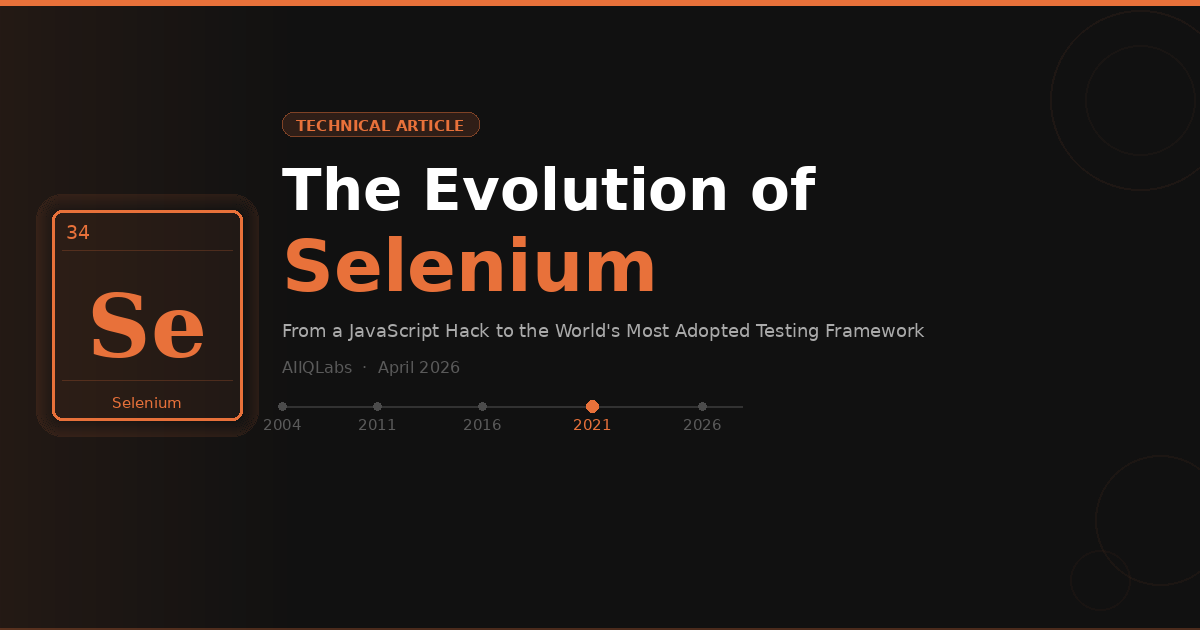
From a JavaScript Hack to the World's Most Adopted Testing Framework
a
aiiqlabs academy
·9 min read
1. A Brief History of Selenium
Selenium’s story begins in 2004 at ThoughtWorks in Chicago, where Jason Huggins was working on an internal time-and-expenses application. Tired of manually testing the web app after every change, he wrote a JavaScript program that could drive interactions on the page and verify the results. He called it “JavaScriptRunner” — it would later be renamed “Selenium Core.”
The name “Selenium” was a playful jab at Mercury Interactive (now Micro Focus), which sold the dominant commercial testing tool at the time, Mercury QuickTest Professional. Since selenium (the chemical element) is known as a cure for mercury poisoning, the name stuck as a tongue-in-cheek reference to being the antidote to Mercury’s expensive, proprietary tooling.
Fun fact: Selenium was literally named as a cure for Mercury — the commercial testing tool that dominated the market in the 2000s.
In 2006, Simon Stewart, an engineer at Google, started a separate project called “WebDriver” that took a fundamentally different approach — instead of injecting JavaScript into the browser, WebDriver communicated with the browser through its native automation interface. In 2008, the two projects began discussing a merger, and by 2011, Selenium RC and WebDriver were officially combined into Selenium 2.0 (Selenium WebDriver), creating the foundation for what would become the most widely used browser automation framework in the world.
2. What Problems Did Selenium Solve?
Before Selenium, the testing landscape was bleak. Manual testing was the norm for web applications, and the few automation tools that existed were either prohibitively expensive or severely limited:
Manual testing bottleneck:As web applications grew more complex and release cycles shortened, manual regression testing became unsustainable. A single release could require days of human testers clicking through every flow.
Vendor lock-in:Commercial tools like Mercury QTP (later HP UFT) cost tens of thousands of dollars per license and only ran on Windows. Small teams and startups were priced out of automation entirely.
Cross-browser chaos:The mid-2000s were the height of browser wars (IE6, Firefox, early Chrome). Applications behaved differently across browsers, and there was no standard way to test them all.
Language restrictions:Most existing tools forced you into a single scripting language. Selenium was open-source and supported Java, Python, C#, Ruby, JavaScript, and more — teams could write tests in whatever language their application used.
CI/CD integration:Selenium could be run headlessly, integrated into Jenkins/CI pipelines, and parallelized across machines — enabling continuous testing long before it became an industry buzzword.
Selenium democratized test automation. For the first time, any team — regardless of budget — could automate browser testing with a free, open-source, multi-language, multi-browser framework.
3. Early Competitors
Selenium didn’t operate in a vacuum. Several tools existed before and alongside it, but none achieved Selenium’s reach:
Selenium’s winning formula was the combination of being free, supporting multiple languages and browsers, having an active open-source community, and — crucially — being backed by engineers at major companies (ThoughtWorks, Google) who kept improving it.
Selenium 2 was the landmark release that merged Selenium RC (JavaScript injection) with WebDriver (native browser automation). The philosophy shifted from “hacking around the browser” to “driving the browser the way a user would.” WebDriver communicated with browsers through their native automation interfaces, making tests more reliable and closer to real user interactions.
However, there was no industry standard for how this communication should work. Each browser driver implemented its own interpretation of the protocol, leading to subtle cross-browser inconsistencies.
Selenium 3.x (2016) — Deprecation and Transition
Selenium 3 was a transitional release. It formally deprecated Selenium RC and began the migration toward W3C standardization. Under the hood, Selenium 3 used the JSON Wire Protocol — a custom protocol that acted as a middle layer between test scripts and browser drivers.
The problem was that JSON Wire Protocol wasn’t a formal standard. Browser vendors implemented it with variations, leading to flaky tests that passed on one browser and failed on another for no logical reason. Starting with Selenium 3.8, W3C protocol support was introduced, but JSON Wire remained the default.
Selenium 4.x (2021) — The W3C Era
Selenium 4 represented the most significant philosophical shift in the project’s history. It fully adopted the W3C WebDriver standard, removing the JSON Wire Protocol entirely. This meant that Selenium now spoke the same language that browsers natively understood — no translation layer, no custom protocol, no inconsistencies.
Beyond the protocol change, Selenium 4 introduced several paradigm shifts: relative locators (find elements based on their visual relationship to other elements), the Selenium Manager (automatic driver management — no more manual ChromeDriver downloads), a completely redesigned Selenium Grid, and most importantly, the beginnings of BiDi (Bidirectional) protocol support for two-way browser communication.
5. Architectural Deep Dive: Selenium 3 vs 4
Selenium 3: The JSON Wire Protocol Architecture
In Selenium 3, when your test script sent a command (like “click this button”), it went through a multi-step process: the client library serialized it to JSON, sent it over HTTP to the browser driver, which then translated the JSON Wire command into something the browser could understand. This translation layer was the source of many problems — it added latency, and each driver translated slightly differently.
Selenium 4: Direct W3C Communication
Selenium 4 eliminated the translation layer entirely. Test commands are sent directly to the browser in a W3C-standardized format that browsers natively support. Chrome, Firefox, Edge, and Safari all implement the same W3C WebDriver spec, so the behavior is consistent across browsers.
The game-changing addition is the WebDriver BiDi (Bidirectional) protocol. Traditional WebDriver was one-way: your test sends commands, the browser executes them. BiDi enables two-way communication — the browser can push events back to your test in real time: console logs, network requests, DOM mutations, JavaScript errors. This is transformative for debugging and advanced test scenarios.
6. Language Support: How Selenium Works Across Languages
One of Selenium’s greatest strengths — and a key differentiator from competitors — is its polyglot nature. Selenium provides official client libraries (bindings) for multiple programming languages, all communicating with browsers through the same W3C WebDriver protocol:
Language
Binding
Typical Use Case
Ecosystem
Java
selenium-java
Enterprise QA teams, Android testing
TestNG, JUnit, Maven/Gradle
Python
selenium (pip)
Data teams, startups, rapid prototyping
pytest, Robot Framework
JavaScript
selenium-webdriver (npm)
Full-stack JS teams, Node.js apps
Mocha, Jest, WebdriverIO
C#
Selenium.WebDriver (NuGet)
.NET enterprise shops, Microsoft stack
NUnit, MSTest, SpecFlow
Ruby
selenium-webdriver (gem)
Rails teams, BDD workflows
RSpec, Capybara, Cucumber
Kotlin
selenium-java (interop)
Modern JVM teams, Android
Kotlin coroutines, Gradle
This multi-language support means teams don’t need to learn a new language to write tests — they use the same language as their production code. A Java backend team writes Selenium tests in Java; a Python data team writes them in Python. The W3C protocol ensures behavior is identical regardless of which language binding you use.
7. Drawbacks and Limitations of Selenium
Despite its dominance, Selenium has well-documented limitations that have frustrated QA engineers for years:
No built-in waits:Selenium has no auto-wait mechanism. Elements that take time to appear (due to AJAX calls, animations, or slow networks) cause flaky tests. Engineers must implement explicit waits manually — a source of endless boilerplate and brittle tests.
No native reporting:Selenium provides zero built-in reporting. You need third-party frameworks (Allure, ExtentReports, TestNG reports) to get any visibility into test results.
Setup complexity:Historically, setting up Selenium required downloading browser drivers, matching them to browser versions, and configuring paths manually. Selenium Manager (introduced in 4.6) has eased this, but the reputation persists.
Slow execution:Selenium’s HTTP-based protocol adds overhead. Modern tools using WebSocket or CDP connections execute 2–3x faster for the same operations.
No built-in parallelism:Running tests in parallel requires Selenium Grid setup or third-party services (BrowserStack, Sauce Labs). Competitors like Playwright offer parallelism out of the box.
Web-only:Selenium only tests web applications in browsers. It cannot test desktop apps, mobile apps (without Appium), or APIs. Modern testing often demands broader coverage.
Flakiness reputation:The lack of auto-wait, combined with timing-dependent interactions, has given Selenium a reputation for flaky tests — tests that pass sometimes and fail sometimes, eroding team confidence.
The “flaky test” problem is Selenium’s biggest reputational liability. Industry surveys show Playwright produces 67% fewer flaky tests than Selenium across comparable test suites.
8. What’s Challenging Selenium?
The testing landscape has transformed dramatically since 2020. Two frameworks have emerged as serious challengers to Selenium’s dominance:
Playwright (Microsoft, 2020)
Playwright is Selenium’s most formidable challenger. Built by Microsoft (with engineers who previously worked on Puppeteer at Google), it was designed from the ground up to solve Selenium’s pain points. It uses a WebSocket-based protocol for faster execution, has auto-wait built into every action (no more explicit waits), supports multiple browser contexts in a single test (parallel tabs, incognito), and offers network interception, API mocking, and trace-based debugging natively.
In 2026, Playwright has surged to a 45.1% adoption rate among QA professionals, compared to Selenium’s 22.1%. It executes tests roughly 42% faster and the State of JS 2025 survey reported a 91% satisfaction rate.
Cypress (2017)
Cypress took a radically different approach — it runs inside the browser alongside your application, giving it direct access to the DOM, network layer, and application state. Its killer feature is time-travel debugging: you can step backward through DOM snapshots to see exactly what happened at each test step. However, Cypress is limited to JavaScript/TypeScript, primarily supports Chromium-based browsers, and cannot handle multi-tab or multi-window scenarios.
The Bigger Picture: AI-Powered Testing
Beyond Playwright and Cypress, an entirely new category is emerging: AI-assisted testing tools. Platforms like Testim, Mabl, Functionize, and newer entrants are using machine learning to self-heal broken selectors, generate tests from natural language descriptions, and automatically maintain tests as UIs change. While these haven’t replaced Selenium yet, they represent the next frontier of disruption.
9. The Future of Selenium — and a Concluding Note
Selenium Isn’t Going Anywhere
Despite the rise of newer tools, Selenium remains deeply entrenched in the enterprise testing ecosystem. Over 31,000 companies actively report Selenium usage, with massive existing test suites representing years of engineering investment. Migrating millions of test lines to a new framework is neither quick nor cheap.
The WebDriver BiDi Bet
Selenium’s most important strategic move is its investment in the WebDriver BiDi protocol. BiDi is being developed as a W3C standard with collaboration from all major browser vendors (Google, Mozilla, Apple, Microsoft). Unlike CDP (Chrome DevTools Protocol), which is Chrome-specific, BiDi will work uniformly across all browsers. This could eventually give Selenium feature parity with Playwright’s real-time capabilities while maintaining cross-browser standards compliance.
The Hybrid Future
The pragmatic reality in 2026 is that many organizations are adopting hybrid testing stacks: Selenium for broad cross-browser regression testing and enterprise compliance, Playwright for fast-path development tests where speed and developer experience matter, and AI-assisted tools for maintenance-heavy visual and exploratory testing.
Selenium didn’t just create a testing tool — it created an industry. Every modern testing framework, including Playwright and Cypress, exists because Selenium proved that browser automation was possible, valuable, and worth standardizing. The tool’s best days as the default choice may be behind it, but its legacy as the foundation of web testing is permanent.
AIIQLabs | IT Training Courses — AI, DevOps & Engineering
India & Online | aiiqlabs.com
Take the next step
From theory to job-ready. Live training, real projects.
Our Selenium and Playwright courses run as live, instructor-led cohorts — not pre-recorded video dumps. You ship real test suites, get code reviews, and leave with projects you can show at interviews.
● LIVE COHORTS● CERTIFICATE OF COMPLETION● PRIVATE DISCORD COMMUNITY● 1-ON-1 MENTORING
Disclaimer
This article is intended for educational and informational purposes only. All product names, logos, trademarks, and registered trademarks mentioned herein — including but not limited to Selenium, WebDriver, Google Chrome, Mozilla Firefox, Microsoft Edge, Apple Safari, Appium, Cypress, Playwright, BrowserStack, Sauce Labs, and others — are the property of their respective owners. AIIQLabs is not affiliated with, endorsed by, or sponsored by any of the vendors or organisations mentioned in this article.
Market adoption figures, version history, and performance characteristics cited are approximate, based on publicly available sources as of April 2026, and may vary based on browser versions, driver implementations, and execution environments. Readers should consult the official documentation of each tool directly for current and accurate information.
The opinions expressed represent the author's analysis of publicly available information and industry trends. They do not constitute professional advice, and readers should perform their own evaluation when selecting testing frameworks for their specific requirements.